
Free trial reminder & subscription tracker for iPhone
Never pay for a trial you forgot to cancel.
TrialBell is a privacy-first free-trial, subscription and bill reminder for iPhone. Add a trial when you start it. TrialBell reminds you before the last day to cancel and keeps the cancellation page one tap away.
- Reminders before a trial ends or a subscription renews. You cancel with the provider. TrialBell makes sure you hear about it in time.
- No account and no bank connection. Subscription details stay on your iPhone and in your personal iCloud.
- Free for up to 3 subscriptions. Unlimited tracking is $19.99 once, not a subscription.

Why trials catch people out
A free trial is a charge with a delay on it.
You sign up in a minute. The charge date is a week or a month away, so it drops out of mind. Then the trial ends and the first payment goes through.

You start a 7-day trial
It asks for a card up front. A week sounds like plenty of time to decide.
The charge goes through
Any warning email was easy to miss. You find out from your card statement, after the last day to cancel has passed.
You hear about it first
A reminder arrives before the last safe day to cancel, and again on the day itself. Keep it or cancel it. Either way it is your decision.

The date that matters is the last day to cancel.
Apps that read your bank account can only show a charge after it has happened. A trial that has not billed yet does not appear in a bank feed at all.
TrialBell works the other way round. You tell it what you signed up for, and it keeps track of the cancel-by date: the last day you can cancel without paying.
How it works
Three steps, about a minute
There is nothing to connect and no account to create. You add what you want to watch, and TrialBell handles the dates.
Add a trial or subscription
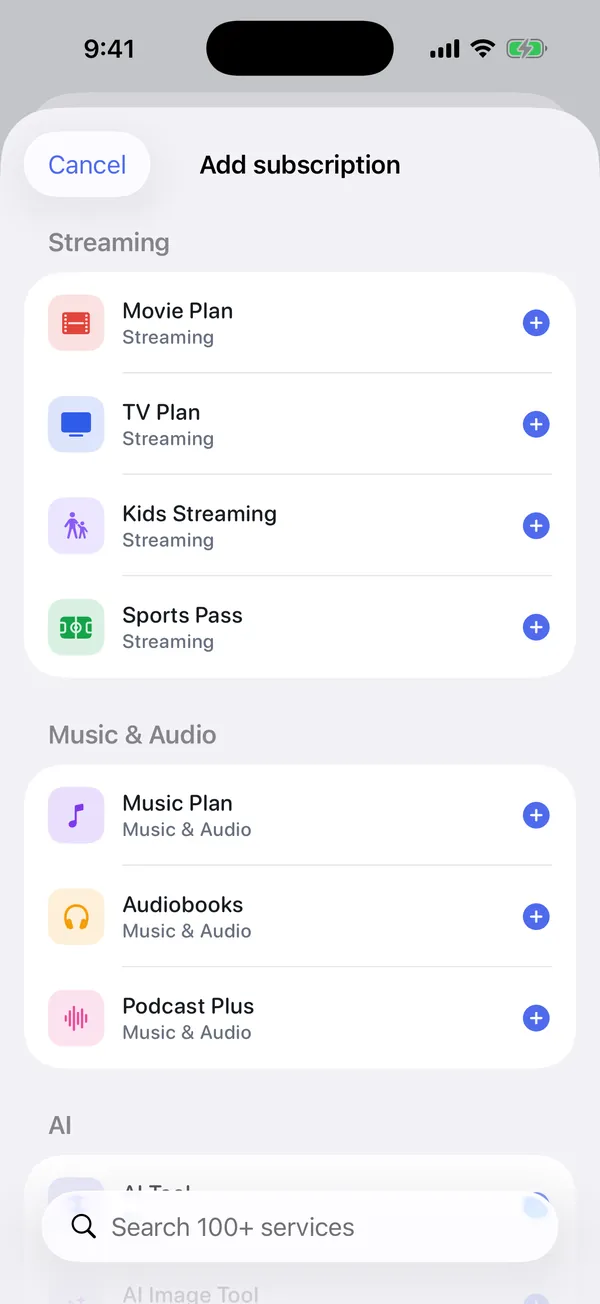
Pick from 129 common services or type your own. Enter the price and the day the trial ends or the subscription renews.
Get reminded before the deadline
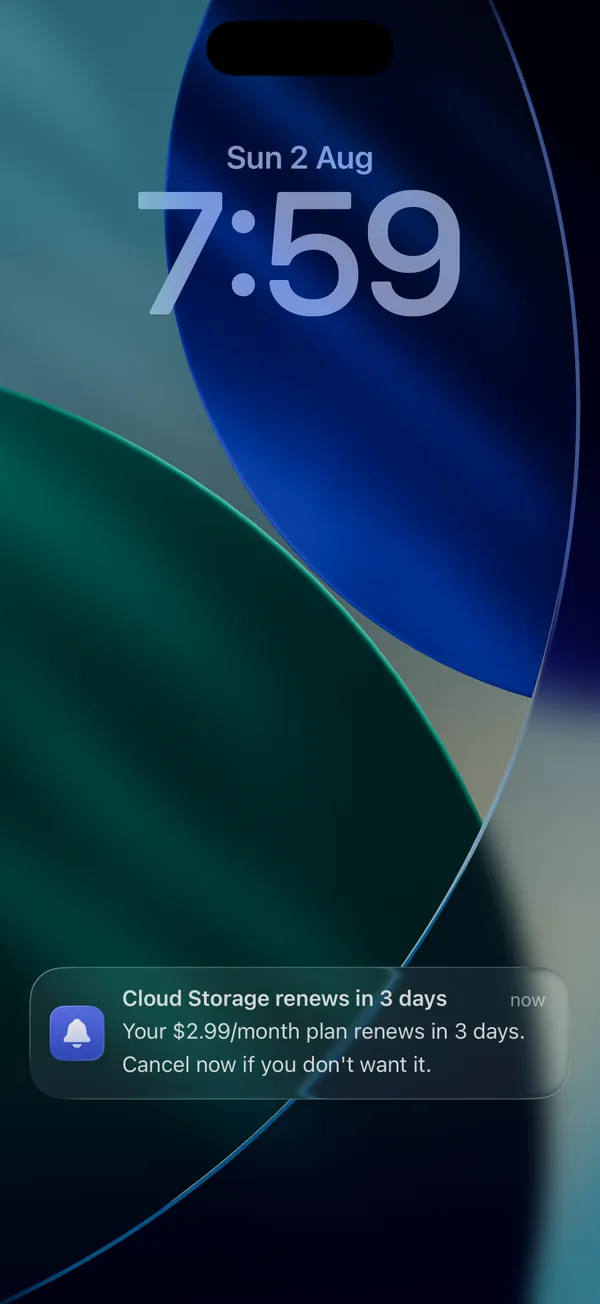
TrialBell works out the cancel-by date and sends a reminder ahead of it, then a final alert on the day. You choose how early: the same day, or 1, 3 or 7 days before.
Cancel in a tap, or keep it
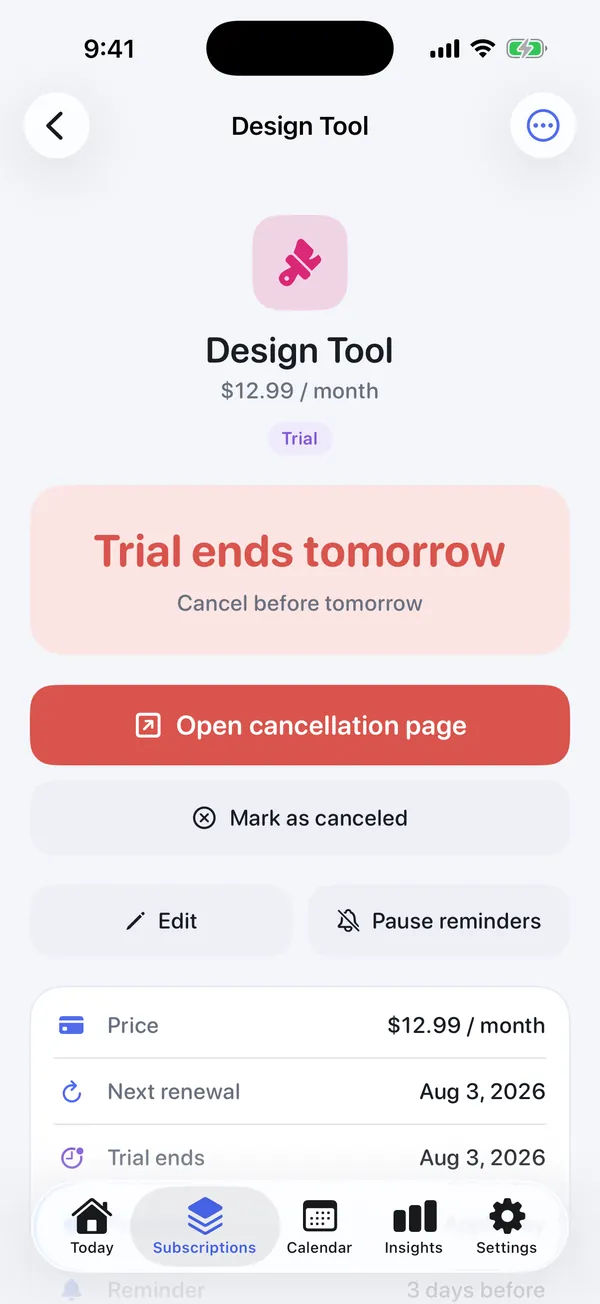
The reminder opens the subscription with its cancellation page ready. 76 services have the link built in, and you can paste your own for the rest.
TrialBell does not cancel anything for you. You stay in charge of what you keep. See exactly when reminders fire.
What you get
Fewer surprises on your card statement
Everything here is included in the free plan.
Know the last day to cancel
Every free trial gets a cancel-by date, a reminder ahead of it and a final alert on the day, so one missed notification is not the end of it.
See every renewal coming
Trials, subscriptions and recurring bills in one list, with a Today view and a calendar of upcoming charges. Annual renewals stop sneaking up on you.
Know what you really spend
Monthly and yearly totals for everything you track, so you can decide what is still worth paying for.
Cancel without hunting for the page
The link to the right cancellation page sits next to each subscription, ready the moment a reminder fires.
Keep your bank out of it
No account, no bank login, no advertising and no cross-app tracking. Your subscription details are never sent to TrialBell servers.
Keep your list if you switch phones
iCloud Backup is on by default and free for everyone. Your subscriptions come back if you reinstall or move to a new iPhone.
Fair questions
Three things people ask first
Can’t I just set a calendar reminder?
You can, and it works if you do it every time. The parts people skip are working out the safe date, keeping the cancel link with the reminder, and setting a second alert in case the first one is missed. TrialBell does those three for you.
Tracker vs Apple RemindersDo I have to connect my bank?
No. Nothing is linked and there is no account. You add each trial yourself, which takes a few seconds with a template. The trade-off is that TrialBell cannot find a subscription you have forgotten about.
Tracking without a bank loginIs this one more subscription to pay for?
No. TrialBell is free for up to 3 subscriptions, with every reminder included. One payment of $19.99 removes the limit. It never renews, so there is nothing to cancel later.
Free vs Lifetime, line by lineSimple pricing
Free to start. One payment of $19.99 unlocks the rest.
No subscription to track your subscriptions. Reminders are never locked: the free plan limits how many subscriptions you track, not what TrialBell does for them.
Free
$0 · up to 3 subscriptions
Everything you need to catch the next charge.
- Track up to 3 trials or subscriptions
- Free-trial & renewal reminders, with a final-day alert
- Today & calendar views
- Spending insights
- 129 service templates, 76 cancellation links
- iCloud Backup & sync, on by default
Enough if you want to watch one or two trials at a time.
Lifetime
$19.99 · one-time
Pay once. No renewal, nothing to cancel.
- Everything in Free
- Unlimited trials & subscriptions
- Home Screen widgets
- Face ID lock
- CSV export
Worth it if you want every subscription and bill you pay in one place.

One forgotten trial can cost more than TrialBell.
You may never need to pay. Start on the free plan and upgrade only if you want to track more than three things at once. Nothing you have added stops working at the limit.
$19.99 is the US price and the App Store shows your local equivalent. Purchases and refunds are handled by Apple. Full pricing details.
Why trust a new app
Things you can check for yourself
TrialBell launched in August 2026, so there is no long review history to point to yet. Here is what we can show you instead.
Clear about what it does not do
It does not cancel for you or read your bank, and it cannot promise a notification gets through. Reminders are local iPhone notifications, so they depend on your notification settings and Focus modes.
How TrialBell worksWe publish our own checks
Every one of the 76 built-in cancellation links is tested, and the results are public. That includes the ones that failed.
Cancellation route auditPrivacy that is written down
No account, no bank link, no advertising SDKs. The app sends anonymous usage analytics and nothing about your subscriptions. Every connection it makes is listed.
Security & dataOne developer, paid once
TrialBell is built by Praveen Kumar, an independent developer. Its only income is the one-time Lifetime purchase, so it has no reason to run ads or sell data.
About TrialBellNot ready to install? Start with what brought you here.
Free tools and guides, useful whether or not you use the app.
Also useful: charged after cancelling? · best free-trial reminder apps · all guides · our research
Questions
Frequently asked
Does TrialBell cancel subscriptions for me?
No. TrialBell reminds you in time and keeps the cancellation link handy, but you cancel directly with the provider. It’s a reminder and tracking tool, not an auto-cancel service, so you stay in control of what you keep.
Does TrialBell guarantee I won’t be charged?
No. TrialBell sends reminders based on the dates you enter, and you still have to cancel in time with the provider. Reminders are local iPhone notifications, so delivery depends on your notification settings, Focus mode and whether your phone is on. Treat it as a safety net and check your subscriptions now and then.
Do I need to connect my bank or card?
No. Nothing is linked. There’s no bank login and no account. You simply enter the trials and subscriptions you want to track, and TrialBell handles the reminders.
Where is my data stored?
On your iPhone, in TrialBell’s own private storage. There’s no TrialBell server for your data. iCloud Backup is on by default and free for everyone, so a copy is also kept in your personal iCloud account using Apple’s iCloud. That is what brings your subscriptions back if you delete the app by mistake or move to a new phone. You can turn it off in Settings. See security & data for the detail, or the Privacy Policy for the formal version.
How does TrialBell know when to remind me?
From the dates you enter: the trial end, renewal date or cancel-by date. TrialBell schedules local notifications on your device ahead of each one. The exact schedule is here.
Is TrialBell free?
Yes, TrialBell is free to download with core tracking, reminders, spending insights and iCloud Backup for up to 3 subscriptions. The Lifetime unlock adds unlimited subscriptions, Home Screen widgets, Face ID lock and CSV export as a one-time Lifetime purchase, not a subscription. Purchases are handled by Apple through your Apple Account.
Will it work if I’m offline?
Yes. TrialBell is designed to work locally on your iPhone, so your subscriptions and reminders don’t depend on a connection.
Does TrialBell work on Android?
No. TrialBell is an iPhone app and requires iOS 17 or later. There is no Android version.
How do I restore my purchase?
Open TrialBell, go to Settings, and tap Restore Purchases. Because purchases are tied to your Apple Account, signing in on a new device restores your purchase. There’s more on the Support page.

Catch the next one in time.
Add your first trial today. TrialBell is free for up to 3 subscriptions, with every reminder included.
Questions? Visit support or email hello@trialbell.app.